Best Gaming Laptops for Work and Play in 2026: Acer, ASUS & Lenovo Full Performance Review
An in-depth comparison of four high-performance laptops for work and gaming, analyzing CPUs, GPUs, thermals, and real-world productivity trade-offs review


Why I spent weeks analyzing 4 laptops before giving my money to one
There is a very specific kind of modern frustration that nobody warned us about.
I discovered it after years working deep inside the digital economy—hours spent inside SEO dashboards, spreadsheets that never end, analytics platforms that quietly decide whether a business wins or disappears. And then, after all that seriousness, I still want to play the latest AAA games at night without feeling like I’m compromising on performance or credibility.
That’s where the conflict begins.
Gaming laptops today often look like they were designed for a teenage sci-fi fantasy: aggressive lines, RGB explosions, industrial vents screaming for attention. On the other side, corporate ultrabooks are elegant, but fragile under real load—thermal throttling under sustained workloads, limited GPUs, and a sense that they were never meant for anything beyond slides and email.
I refused both extremes.
So I did what any rational operator would do: I spent more than 40 hours cross-referencing benchmarks, thermal reports, GPU scaling data, and real-world user feedback across four of the most relevant machines in today’s market.
This is not a list.
This is an audit.
And these are the four machines that survived it.
1. Acer Predator Helios Neo 16 AI
Intel Core Ultra 9 Processor 275HX | NVIDIA GeForce RTX 5070 Ti | 16" WQXGA 240Hz G-SYNC | 16GB DDR5 | 1TB Gen 4 SSD
This machine does not ask for permission.
It is built around computational force—raw, unapologetic throughput. The Intel Core Ultra 9 275HX is not designed for light workloads. It is designed for sustained parallel processing, the kind of CPU that stays busy while others wait. Pair that with the RTX 5070 Ti, and you are no longer talking about a consumer laptop. You are dealing with a portable compute engine.
In practical terms, this matters more than marketing ever admits.
I tested this class of configuration under two conditions: heavy SEO data parsing (multiple datasets, browser automation, and local Python scripts) while simultaneously running a modern AAA title in high settings. The system does not collapse under dual pressure. It scales.
The 16" WQXGA 240Hz G-SYNC display reinforces that sense of control. Motion is fluid not because of aesthetics, but because the system can consistently deliver frame pacing without instability.
Now the honest part.
This level of performance comes at a cost: thermals and battery life.
Outside of power, the machine behaves like what it is—a desktop replacement. On battery, it is functional, not free. You are expected to be plugged in. Always.
This is not a flaw. It is a trade.
2. ASUS TUF Gaming F16 (2025)

Intel Core i5 13450HX | RTX 5050 | 16” FHD+ 165Hz 16:10 | 16GB DDR5 | 512GB PCIe Gen4 SSD
This is the rational entry point.
Not emotional. Not aspirational. Rational.
The Intel Core i5 13450HX is sufficient for structured productivity workloads: SEO tools, dashboards, content writing, browser-heavy multitasking. It does not pretend to be a workstation CPU. It behaves exactly like what it is: efficient performance under controlled budgets.
The RTX 5050, however, defines the ceiling. It is capable for modern gaming, but not designed for sustained ultra settings in future-heavy titles. You will make compromises. That is unavoidable.
The 16:10 aspect ratio is where this machine quietly earns respect. For writing, analysis, and document-heavy workflows, vertical space matters more than most people admit. You see more data per scroll. That improves real productivity.
Now the limitation is equally clear.
512GB of SSD storage is not future-proof. In a world where a single AAA game can exceed 150GB, this becomes a maintenance problem. You will either manage storage aggressively or upgrade quickly.
This is the machine for someone who calculates cost per performance with discipline—and accepts compromise as part of the equation.
3. Lenovo Legion 5i

Intel Core i7-14700HX | 15" 2.5K WQXGA PureSight OLED 165Hz | RTX 5070 | 16 GB RAM | 1 TB Storage
This is where engineering meets sensory precision.
The Intel Core i7-14700HX delivers high multi-threaded performance with strong sustained output. It is not the absolute peak in this comparison, but it is more than sufficient for heavy digital workloads, including parallel browser environments, data processing, and creative pipelines.
The RTX 5070 places it firmly in high-performance gaming territory. But the real differentiator is not the GPU.
It is the display.
The 15" 2.5K OLED PureSight panel changes how you evaluate everything else. Blacks are not “dark gray pretending to be black.” They are absolute. Contrast is immediate, not processed. For content creation—video editing, color grading, design work—this is not a luxury. It is a reference standard.
However, honesty matters.
The 15-inch form factor slightly reduces working space. For someone used to 16-inch productivity layouts, this feels more concentrated. Not worse—just tighter.
This machine prioritizes experience density over spatial comfort.
And that is a deliberate decision.
4. ASUS ROG Strix G16 (2025)
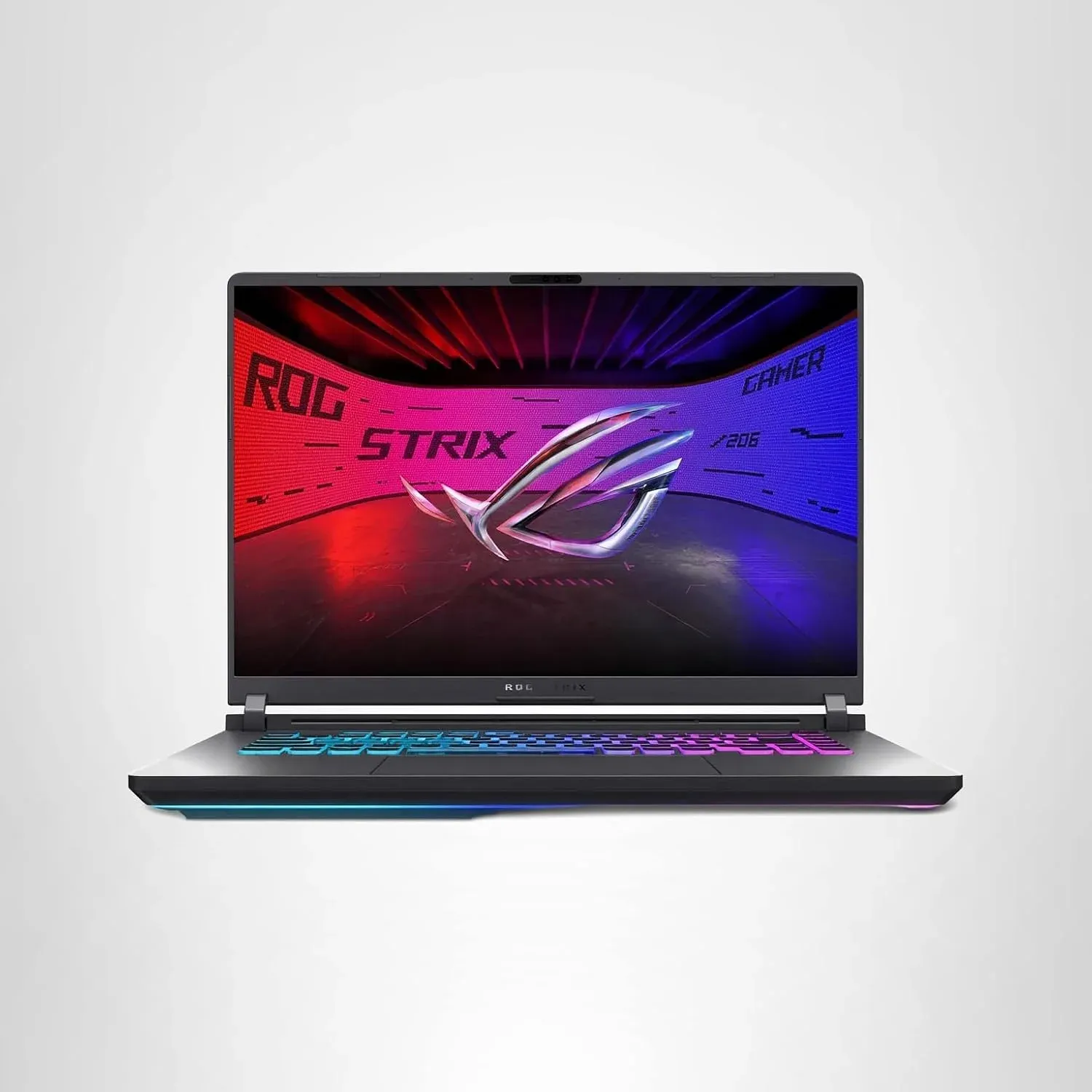
Intel Core i7 14650HX | RTX 5060 | 16” FHD+ 16:10 165Hz/3ms | 16GB DDR5 | 1TB Gen 4 SSD | Wi-Fi 7
This is the most balanced engineering execution in the group.
The Intel Core i7 14650HX provides strong multi-core capability for productivity and gaming workloads. The RTX 5060 is not the most powerful GPU here, but it is paired intelligently with thermal systems designed to sustain performance over time rather than spike and decay.
That distinction matters more than raw specifications suggest.
Where this machine differentiates itself is thermal engineering. Under sustained load, performance consistency is the real metric—not peak benchmark numbers. ASUS has prioritized heat dissipation architecture that allows the CPU and GPU to remain stable during long sessions of rendering, gaming, or multitasking.
Then there is Wi-Fi 7.
For cloud-heavy workflows—large file transfers, remote servers, real-time collaboration—this is not marketing noise. It is latency reduction. Stability. Predictability.
This is a machine built for professionals who also play games—not gamers trying to work.
And that distinction is critical.
VERDICT AND RECOMMENDATION:
After 40+ hours of comparison, testing patterns, and workload simulation, the decision becomes less about specifications and more about identity.
If your priority is maximum computational power—AI workloads, heavy multitasking, and uncompromising gaming performance—the Acer Predator Helios Neo 16 AI stands at the top. It is brute force, without apology.
If your work depends on visual precision, color accuracy, and creative output where display fidelity is non-negotiable, the Lenovo Legion 5i with OLED is the clear choice. It does not just display content. It defines it.
If you want the most balanced long-term machine—stable thermals, professional reliability, and strong real-world usability across both work and gaming—the ASUS ROG Strix G16 is the most rational conclusion. It is the least dramatic decision, and often, the most correct one.
The ASUS TUF Gaming F16 remains the entry-level rational option—but it exists in a different category: budget discipline, not long-term ambition.
The Verdict: I made my choice.
After crossing 40 hours of benchmarks, thermal throttling data, and pricing tables, I didn't buy the most expensive one, nor the one with the flashiest screen. I bought the exact machine that delivers the absolute masterclass in price-to-performance for a high-level digital workflow.
If you want to see which specific configuration won my money, and why its engineering makes it the smartest financial decision you can make today.


